
Introduction
I speak Thai at what I’d call an intermediate level. I can hold conversations about general topics and have surface-level discussions about more specialized ones, but I still lack the vocabulary to carry an entire conversation without slipping into English or resorting to long, roundabout explanations for concepts that should take a single word.
Let me give you a brief example.
สงครามโลกครั้งที่ 2
ช่วงเวลาประมาณ 80 ปีก่อน ที่หลายประเทศยิงกันไปยิงกันมา
I essentially described “World War 2” as “the time around 80 years ago when many countries were shooting at each other.” Fortunately my vocabulary has improved since then, and I can now just say สงครามโลกครั้งที่ 2 — but you get the point.
Besides this, I also had the advantage of being Malaysian Chinese. I mention this because I grew up—at least partially—around tonal languages and dialects: Hakka, Hokkien, Cantonese. If you know Hakka, you’ll know it shares quite a bit with Thai, especially the number system, which gave me a surprisingly convenient starting point when I began speaking Thai.
Learning the Thai Alphabet in 9 days? This is how I did it.
Initial Approach
When I finally made the decision to leave the “illiteracy” stage behind, I started looking at my options.
I had already purchased a book while browsing around in Bangkok –
You can buy the book Read and Write Thai Today at Amazon if you’re interested. (Again, no affiliation — just linking for convenience.)
Nothing against the book, but it just didn’t work for me. I spent a couple of days with it and simply wasn’t getting the progress I had in mind. It lacked the kind of structure and approach that “checked my boxes.”
With an iPad Mini and Apple Pencil on hand, it made sense to explore App Store options. There were plenty — but many were clearly designed for children, others were clunky, and some were basically just flashcard replacements.
That said, I did finally try out a few suggestions from ChatGPT, out of which, after some experimentation… one stood head and shoulders above the rest, and I ended up purchasing the full version only a few hours after first experimenting with it.
For clarity, I’m not affiliated with the app or the developer, but you can visit their website here. I just genuinely liked it, and I doubt I would have progressed as quickly without it. It’s built for iPad and works extremely well with Apple Pencil. I do have a few nitpicks, but nothing major. The developer is also surprisingly responsive — they even implemented some of my suggestions fairly quickly.
Learn Thai Alphabets & Words
Overview
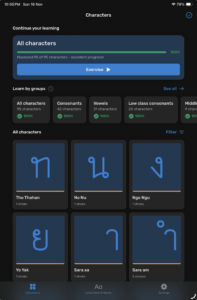
Of all the apps I experimented with, this was the only one that I felt was polished enough and ticked enough of the boxes that I felt comfortable going ahead with purchasing the full version within an hour or two of playing with it.
As you can see from the screenshot above, it’s actually relatively simple. The app revolves around you learning, practicing, and memorizing characters. You are able to choose the “groups” (consonants only, vowels only, etc.) as per the app suggestion OR manually one by one (for example you may particularly hate ฐ Tho Than).
Learning
If you select to learn Consonants specifically, the app will throw up a random consonant at you to start. The core of the app revolves around:
- Writing the character
- You are given an outline of the character to trace
- The name of the character (for example ก – Kor Kai) is read aloud by the app and it also gives you the Romanized name of the character (for example ก – Kor Kai)
- Upon successfully tracing the character the first time, the character turns green, you earn some completion points (you slowly progress up to a 100%), and the outline of the character won’t appear again (unless you fail on your next attempt)
- Upon successfully writing the character without the outline, the character turns greens, you earn some more completion points
- Upon multiple failures on the same character (sometimes you forget how to write it or you just aren’t able to impress the app enough), the character turns red, the correct outline appears (similar to the first time you learned the character), and you lose some completion points that you had earlier
- Even after reaching 100% completion on a character, they will still pop up in the rotation randomly, which I felt was beneficial as kind of a refresher here and there to make sure you don’t forget characters.
- Identifying the character
- The app says the name of the character and gives you the Romanized name of the character (for example ก – Kor Kai)
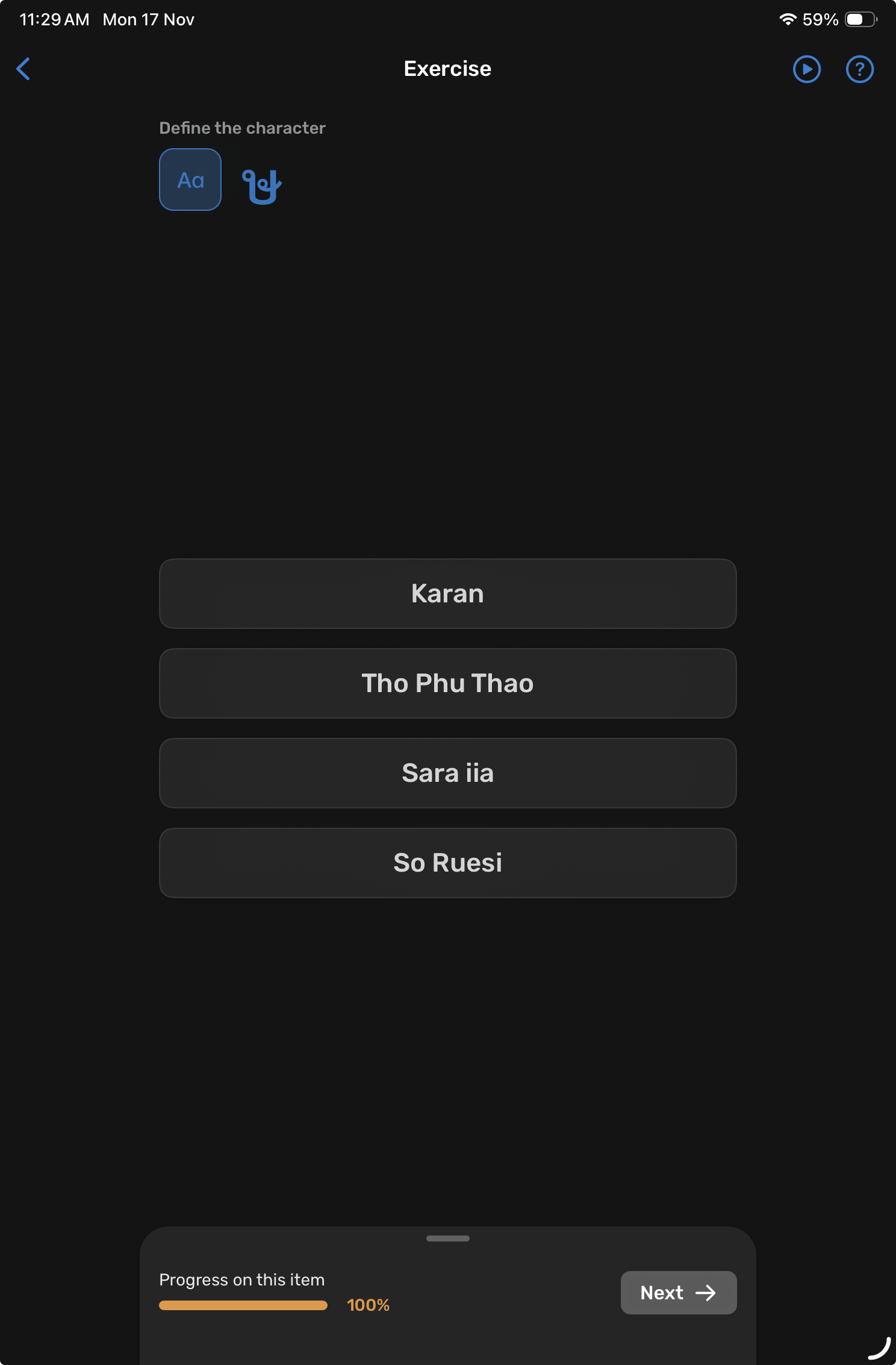
- 4 choices are displayed and you are supposed to choose the correct character as voiced/named by the app (for example ก – Kor Kai)
- The app shows you the actual Thai character (for example ก), and you are supposed to select the Romanized character name (Kor Kai)
- You don’t get multiple attempts at this – Correct selection increases your completion % for that specific character, and incorrect selection will highlight the correct answer in RED while decreasing your completion %

You’re also given some other options throughout the app to customize your learning experience:
- You can activate/inactivate specific characters instead of going by the app suggestions – this was the method I used. I preferred to learn a small selection of 3-4 characters each day, and would essentially grind each character to 100% completion. By the time you reach 100% on a character (this is typically going to be 100+ repetitions of the writing/identifying even if you don’t make any mistakes).
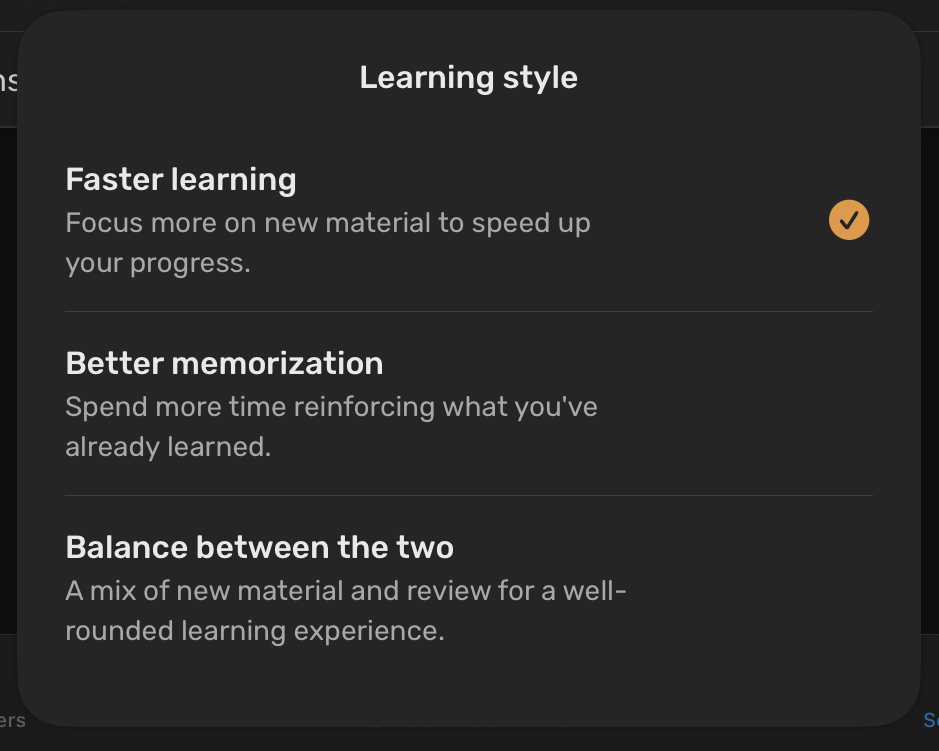
- Alternatively, you can follow the app suggested learning options as below. I didn’t experiment too much with this, as I think I messed up the system by telling it to “ignore” new characters repeatedly early on, and ended up just manually enabling characters as I reached 100% completion on earlier characters.

Nitpicks
There were a few things that I had issues with, but most of them were essentially Quality of Life issues rather than anything that broke the app functionality or learning progress.
- When the app says the character name aloud, it does so once. Sometimes you miss it, or sometimes when you’re running through the available options (some of which may be very similar) you forget what the app originally said. This has been fixed in a recent update.
- When the app shows you the Thai character in order for you to select the Romanized version of the character, the Thai character is quite small, and with some characters with tone markers etc., this can be difficult to identify. Thai characters can become difficult to distinguish when displayed at small sizes, especially on high-resolution screens. This may or may not apply to you, but unfortunately my eyesight isn’t what it used to be. This has been fixed in a recent update.
My Methodology
As I went through briefly above, I focused on a few characters per day (between 3-4 unique), although I occasionally did do heavier days (6-8) with smaller groups of 3-4 each when it came to tone marks and/or characters that were visually similar such as คด and ฅต. Each time new characters were added to the “practice” pool, the app would favour newly added characters slightly due to the lower completion %, but also regularly drop in characters at higher or even 100% completion as revision of sorts.
To be fair, I did spend a lot of time on the Learn Thai app. iOS Screen Time says I averaged around 3 hours per day during the last few days when I was finishing up the last characters, and I’m pretty sure I did more than 3 hours during the first half of the character set. By the end of day 9 of absolute focus on hammering the Thai character set into my head, I had reached 100% completion on all characters. Realistically, I don’t think the majority of people have this kind of time available to learn the Thai characters, nor the patience; so do adjust your expectations accordingly – but know that it is possible. Not everyone needs to push it this hard; I chose to accelerate the process because I had the flexibility and the time.
Conclusion
To clarify, there are 2 different types of completion in the Learn Thai app. One is the per character completion which represents your progress through that specific character, and the other is the overall completion which takes into account your progress through ALL characters including numerals.
Now, after reaching 100% completion on all characters, I still used the app, but much less – mainly to just do a brief run through every couple of days to “refresh” my memory. This dropped significantly to almost 0, as after reaching 100% completion on all characters, I wanted to push myself to start actually reading. At that point, the app had done its job. This may or may not be the best approach for you, and I think I’ll actually start using the app again (now around 2 weeks after I reached 100% completion) to just make sure all the muscles still work as I’ve noticed that I’ve started to forget the less used characters such as ฐฒฬ as well as the Thai numerals.
The next post will not be specifically about learning Thai, but my thoughts on the next step in the long, long journey into Thai literacy.